2026 October | Feature Highlights
Data Management | Seed Data Enablement
PRMA-6972
Improved how new default (seed) data reaches existing companies, allowing companies to choose when new data is migrated.
Affected Components:
Data Management
Data Management
This release includes infrastructure improvements that do not affect the business functions of Genius or supported services.
Digital Menu Board (DMB) | Takeover Content
PRMA-4406
Takeover Content are individual video files, either individually or in a group, that act as as a layer that play overtop the main content layout for a set period of time. Takeover Content can play across multiple displays can be triggered by timed intervals or by events.
Affected Components:
Cloud Portal
Digital Menu Board (DMB)
Cloud Portal
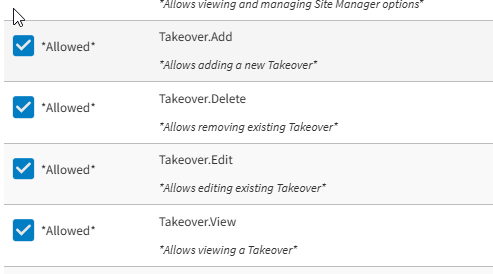
Enhanced administrative control of Takeover entity with the following new permissions at the global and company levels:
View Takeover (Takeover.View)
Add Takeover (Takeover.Add)
Edit Takeover (Takeover.Edit)
Delete Takeover (Takeover.Delete)
 |
Digital Menu Board (DMB)
Enhanced Content Layouts configurations with the following actions:
Updated with Create Contents Layouts page
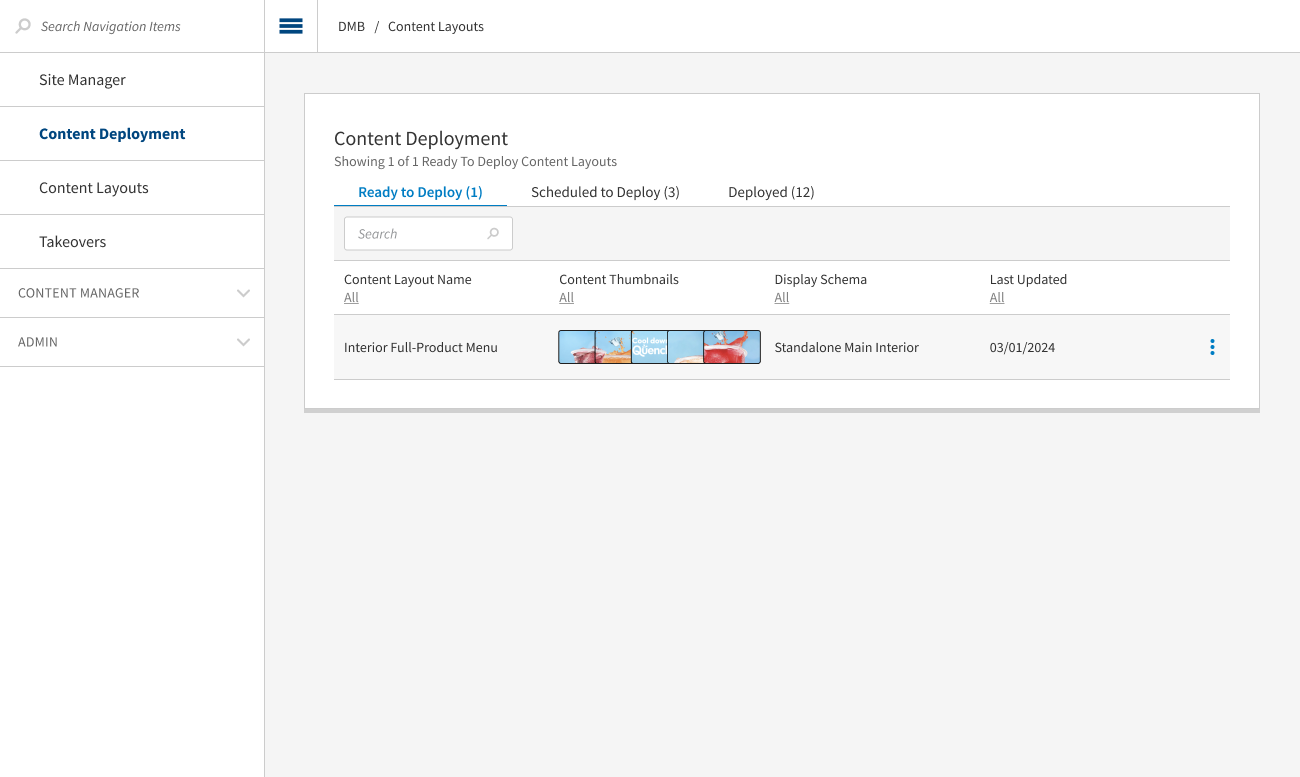
Create Contents Layouts page contains General section with elements General, Content Layout Name, Description
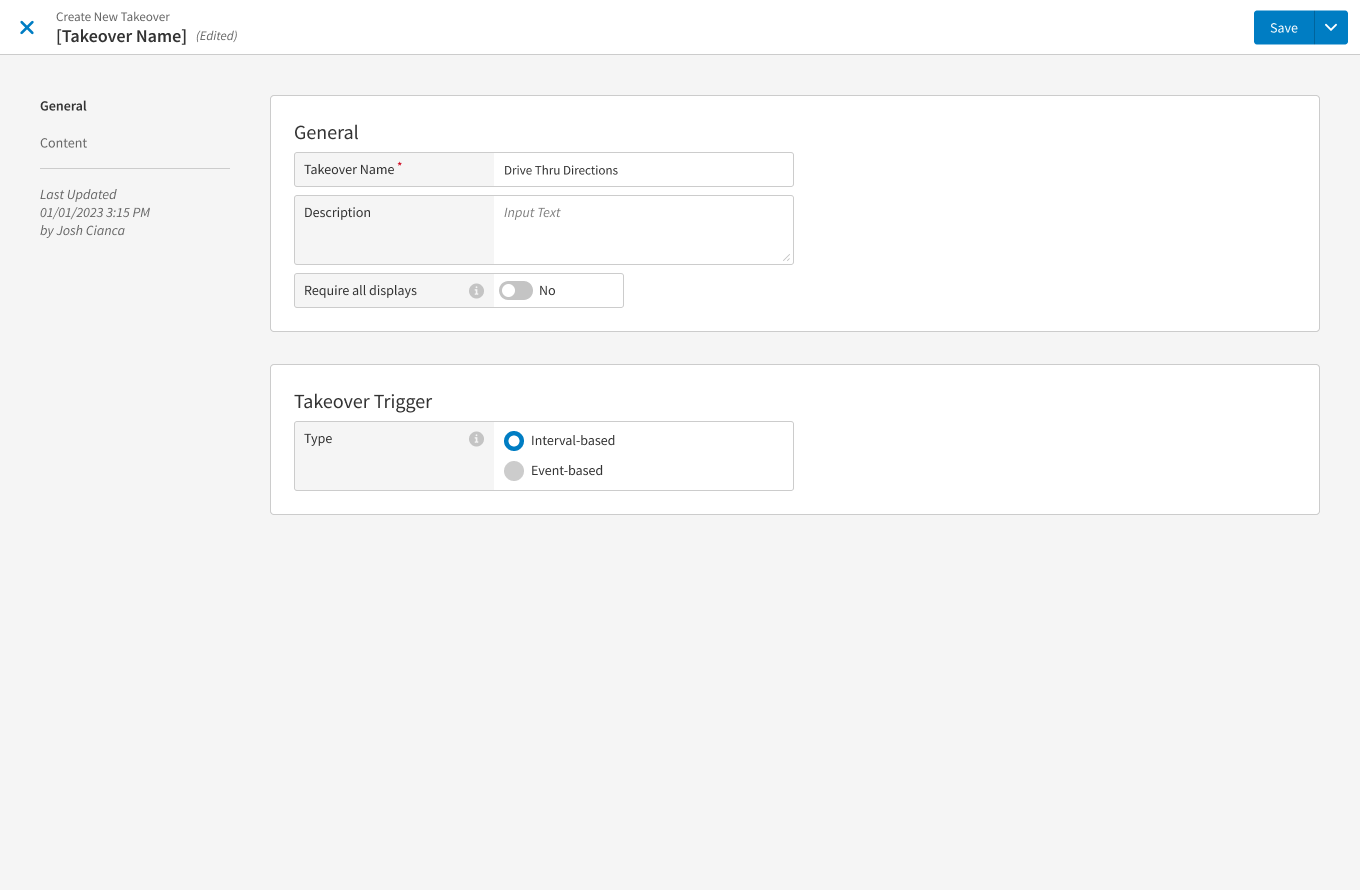
Create Contents Layouts page contains Content section with elements <amount of dayparts>, Primary Content, Takeover, Grid with dayparts
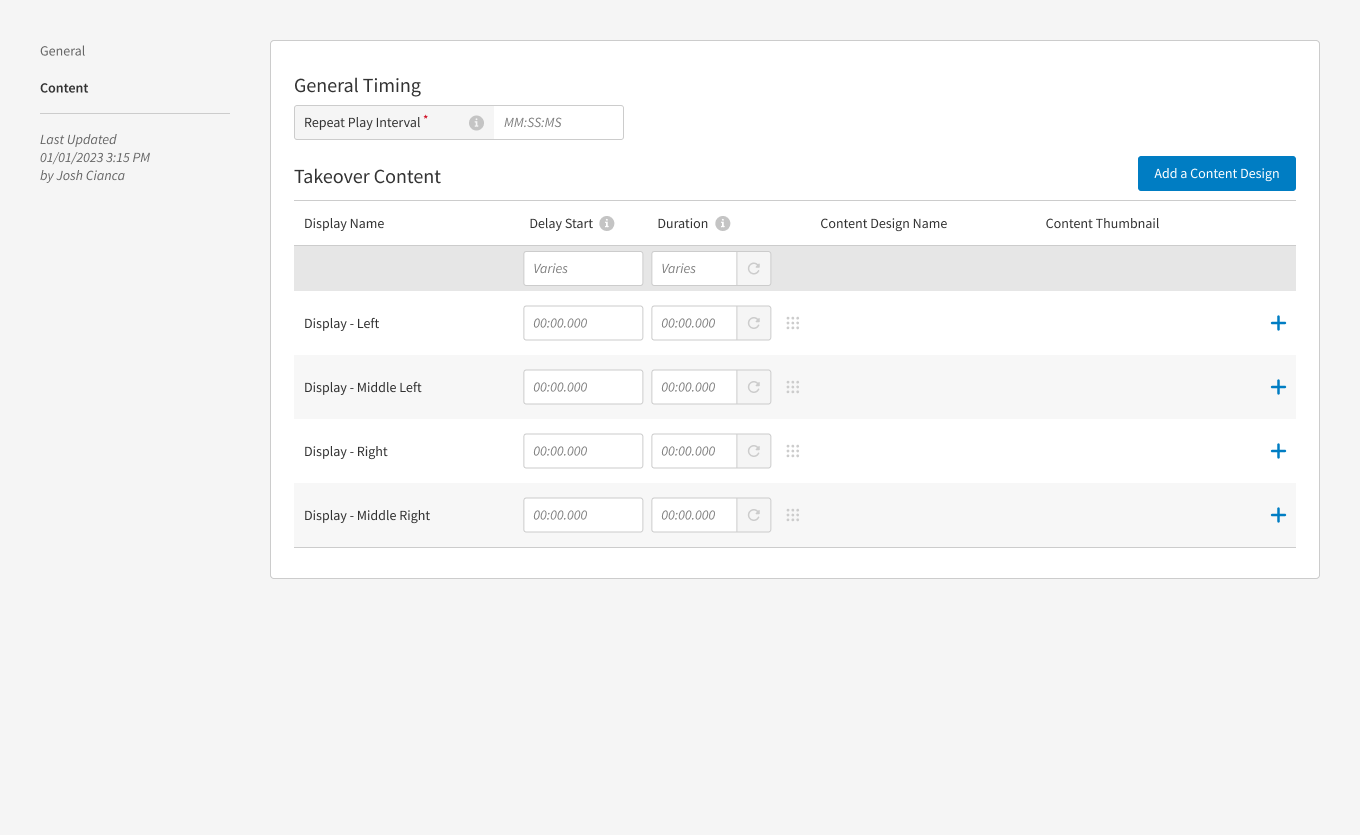
Edit button from individual daypart navigates to Daypart Content Design assignment modal window with elements Cancel, <Daypart Name>, <amount of displays in grid>, Primary, Add Takeover, Display Name, Resolution, Content Design Name, Content Thumbnail, <+> button, Cancel and Done buttons, drag and drop to change location of Content Design
<+> button opens Add Content modal
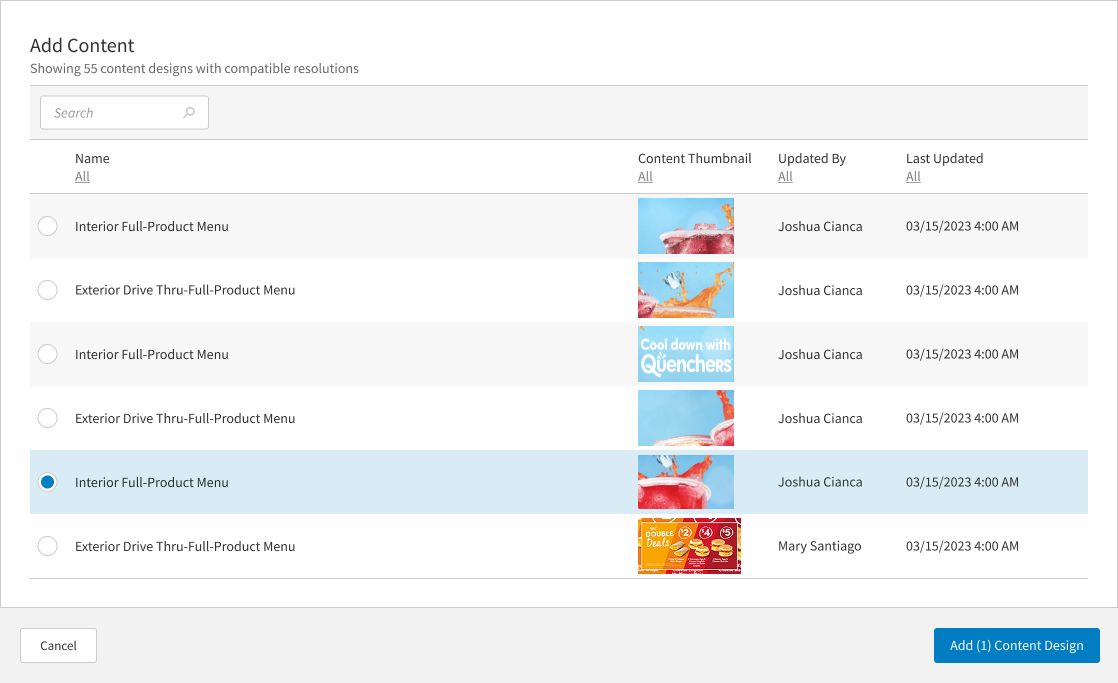
Add Content Design button in Add Content modal assigns Content Design to display, shows Content Design thumbnail in grid, replaces <+> button with pencil icon
Pencil icon opens Add Content Design modal
Clicking Done button on Daypart Content Design assignment modal shows thumbnails on Content Layouts detail page and enables user to move Ready to Deploy Content Layouts with assigned Content Design to all dayparts for Primary Content
Gift & Loyalty | Valuetec Digital Gift Card Support
PRMA-7550
Added support for Valutec Digital Gift Cards to the Gift & Loyalty service. Users can now redeem, activate, reload, and check balances on digital gift cards (such as mobile app QR codes or barcode passes) seamlessly at a Point of Sale (POS) terminal.
Affected Components:
Gift & Loyalty
Gift & Loyalty
Added the ability for users to redeem, activate, reload, and check balances on digital gift cards at a POS terminal.
Kitchen Management | Print Order from Super Footer
PRMA-6616
Print an order summary chit on demand from the kitchen cell super footer of Saved and Paid orders.
 |
Optionally restrict screens to only print modifiers with specific tag assignments.
To prevent duplicate chits, Print On Bump is suppressed when you print an order chit on demand.
The Print button is not supported with Claim All or Begin All.
The name and IP address of the printer used for Print On Demand is identified on the Peripherals tab of Station Status.
Affected Components:
Data Management
Kitchen Management
Enable Print on Demand
From Kitchen Settings in Data Management, enable Print on Demand for preferred screens.
Define the following settings from the Printing → Print Kitchen Chit section of Kitchen Screen Settings:
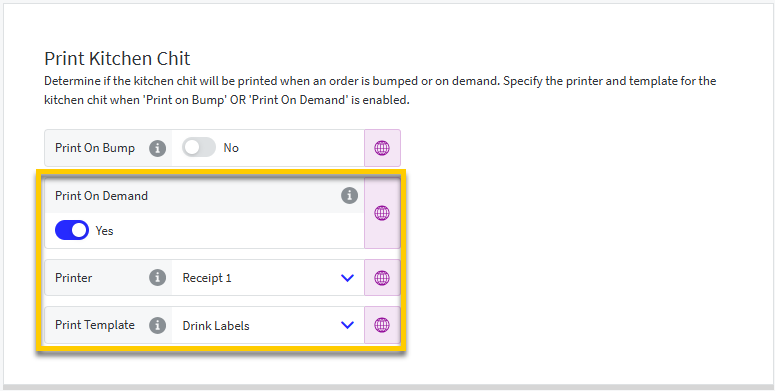 |
Print On Demand - Enable user to print order summary on demand from kitchen cell super footer.
When enabled, define the following:
Printer - Select the printer for Print On Demand chits for this screen.
Print Template - Select the template for Print On Demand chits.
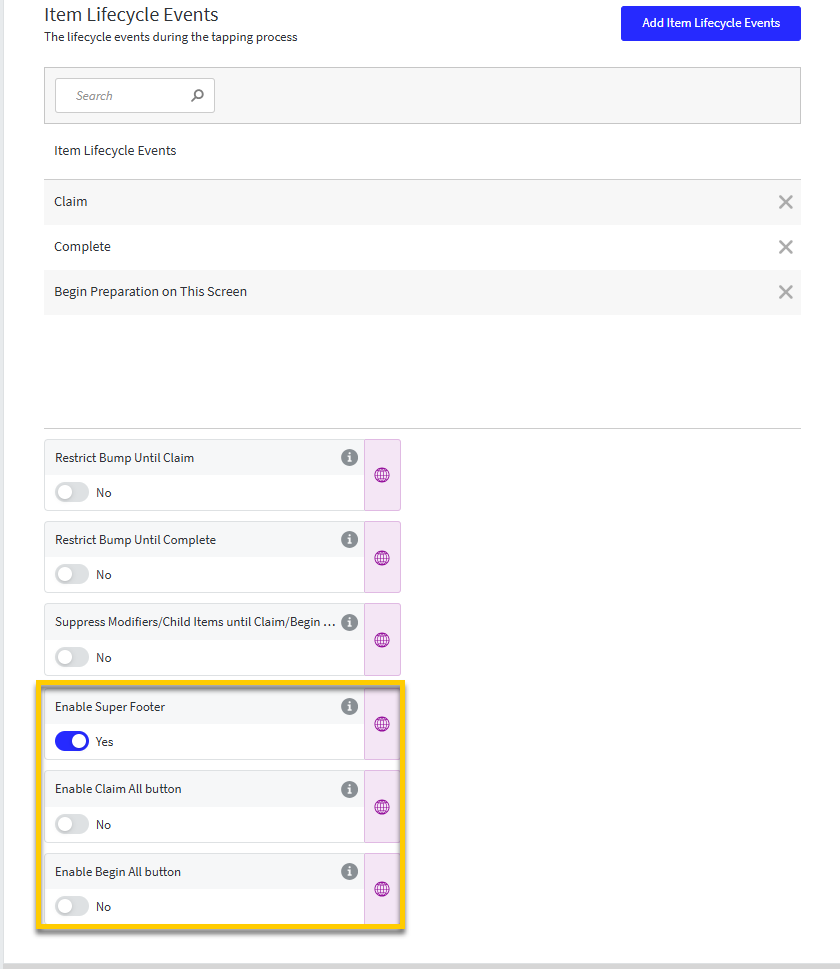
The Print On Demand setting is only available with the following Cells → Item Events configuration in Kitchen Screen Settings:
Set Enable Claim All Button and Enable Begin All Button to No.
 |
Define Modifier Tag Filter
From Kitchen Settings in Data Management, define an optional modifier tag filter for the Print on Demand feature.
Define the following setting for individual screens from the Printing → Print Item Label section of Kitchen Screen Settings:
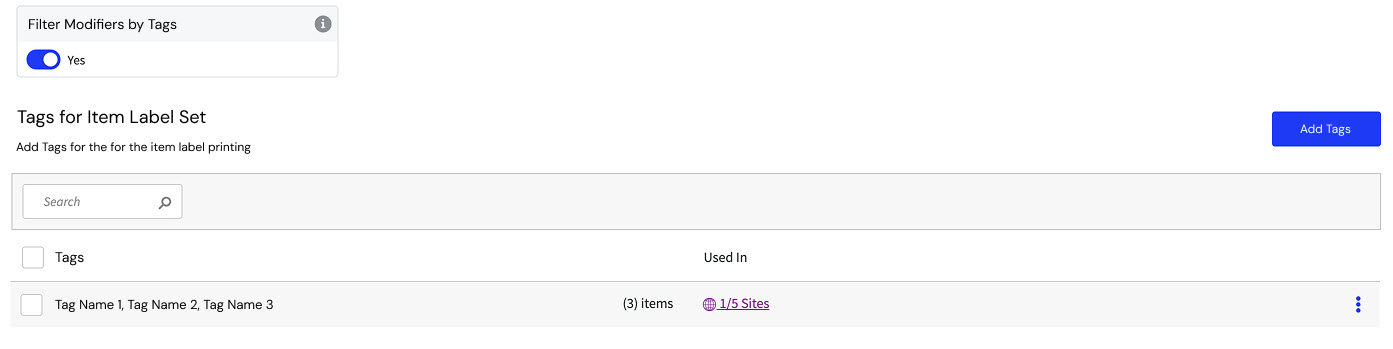 |
Filter Modifier by Tags - When enabled, only print modifiers associated with the selected tags.
Point of Sale | Barcode Support for Weighed Products
PRMA-4608
Genius POS now supports UPC Type 2 barcodes, which are used to create product labels that POS users can scan to add the embedded Price or Weight to an order.
Affected Components:
Data Management
Point of Sale (POS)
Data Management
From Company/Site Preferences in Data Management, select the preferred format for product barcode scanning.
Locate the General → Barcode Format section of Company/Site Preferences:
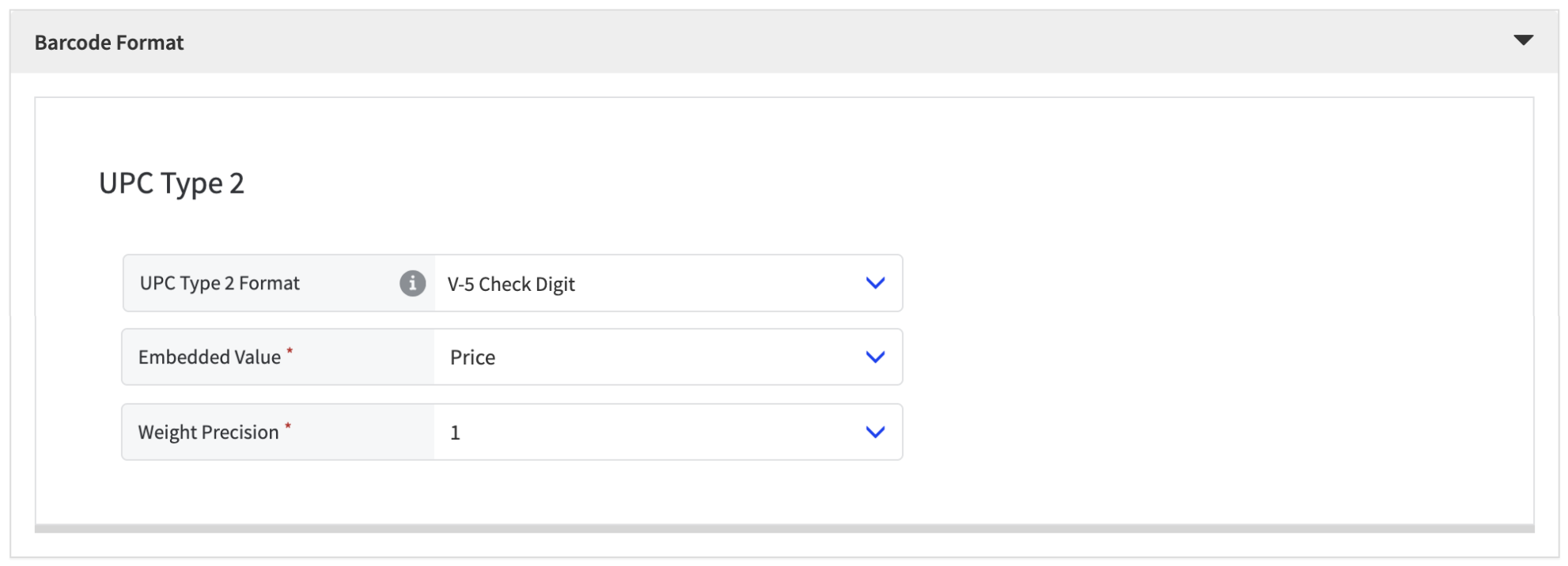 |
From the UPC Type 2 Format dropdown, select the preferred barcode format:
Format | Description |
|---|---|
None | Do NOT use UPC Type 2 barcode. |
5-Digit Value | Barcode begins with '02' or '2' followed by Product ID, then embedded Price or Weight. Define the following:
|
V-5 Check Digit | Barcode begins with '02' or '2' followed by Product ID, and embedded Price or Weight. A 7th digit is randomly generated. Define the following:
|
Flag + 4-Digit Value | Barcode begins with '02' or '2' followed by Flag that indicates if the embedded value is Price or Weight:
|
Set Up Product
From Product List in Data Management, set up a product for UPC Type 2 barcode scanning:
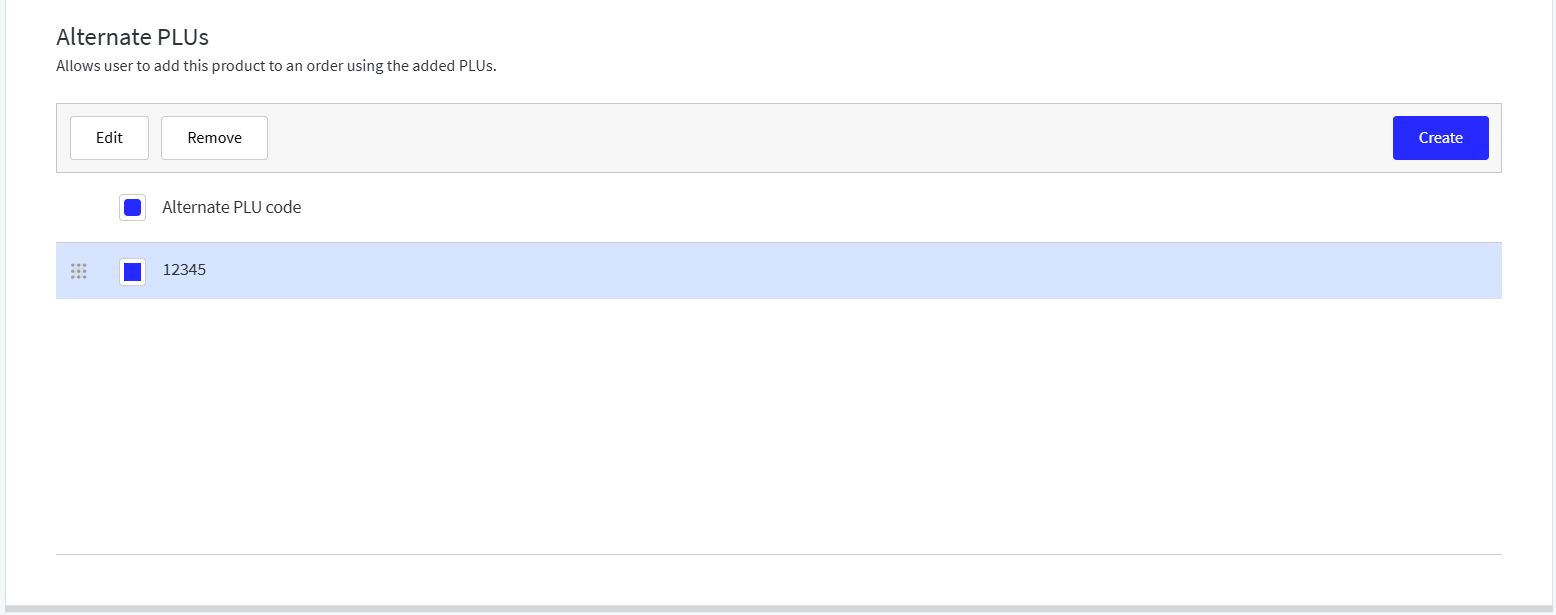
Add 5-digit PLU to match barcode
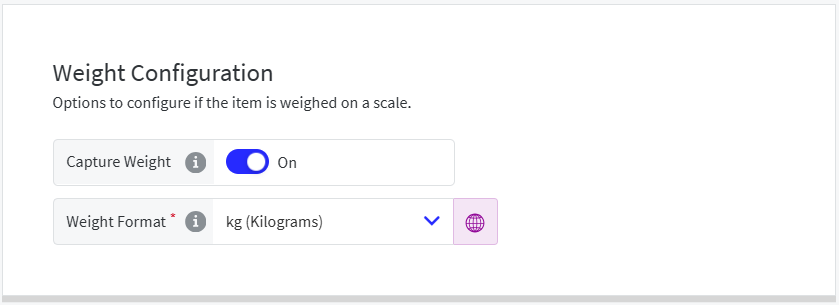
Enable weight capture
To add the product PLU:
From the Alternate PLUs section of the General page, select Create to add a 5-digit PLU that matches the barcode.
 |
To enable weight capture:
From the Weight page, toggle Capture Weight to On and select the applicable Weight Format.
 |
Note
For more information about Product List, see Create Product.
Genius Point of Sale (POS) | Employee Discount Enhancement
PRMA-6846
Updated Genius Point of Sale (POS) to require employees to self-authenticate when receiving an employee discount rather than allowing another user to look up and select them so to ensure the correct employee is associated to the discount.
Affected Components:
Data Management
Genius Point of Sale (POS)
Data Management
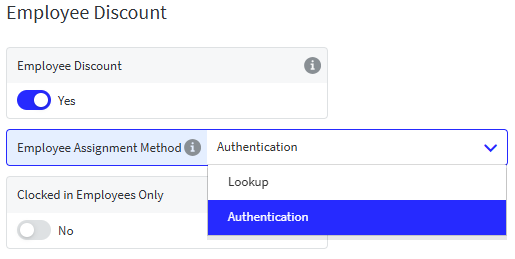
Added dropdown option in Employee Discount section for Employee Assignment Method
→ → → → → → → →
 |
Genius Point of Sale (POS)
Employees are now required to self-authenticate when receiving an employee discount using a badge (or biometrics when enabled) when ID/PIN is disabled.
Genius Point of Sale | Record Scanned/Manually Entered Barcodes
PRMA-7093
Added the ability for Genius Point of Sale (POS) to capture and record specific barcode or alternate PLU manually entered at the terminal or injected via Online Ordering APIs directly into the order payload and reporting. This capability enables users to associate multiple unique codes with a single discount or coupon definition to measure marketing channel, regional, and campaign redemption performance.
Affected Components:
Genius Point of Sale (POS)
Online Ordering
Reporting
Genius Point of Sale (POS)
Enhanced POS ordering pipeline the added_by_code field in Order and OrderItem objects to capture and record the exact code (e.g., alternate PLU, barcode, or manual entry) used to add products or apply discounts to an order.
Online Ordering
Enhanced management/view of discount codes by adding optional new field added_by_code.
Reporting
Add Scanned Code values for Discounts to Discount Summary and Discount Summary: Detail View Reports.
Genius Point of Sale | Masked Card Numbers
PRMA-7596
This update ensures that credit and debit card number are masked to provide security to both cardholder and company in compliance with US FACTA regulations (Section 113) and PCI-DSS standards.
Affected Components:
Genius Point of Sale (POS)
Genius Point of Sale (POS)
Updated Genius POS to always mask credit and debit card numbers, retaining only 4 last digits.
Genius Point of Sale | Block Online Orders on Specified Terminals
PRMA-7667
Added the ability to designate specific Point of Sale (POS) terminals to ignore cloud-injected SQS messages to allow user to operate mobile and offsite event terminals under their primary store profile without those terminals intercepting online, mobile, or third-party delivery orders intended for the kitchen.
Affected Components:
Data Management
Genius Point of Sale (POS)
Genius Portal
Data Management
Added the ability to set specific terminals within a site to not be responsible for receiving orders processed online.
→ → → → → →
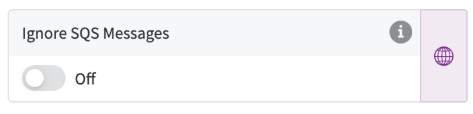
From the Terminal edit form, toggle Ignore SQS Messages on.
In the Ignore SQS Messages for Terminal window, select the desired sites.
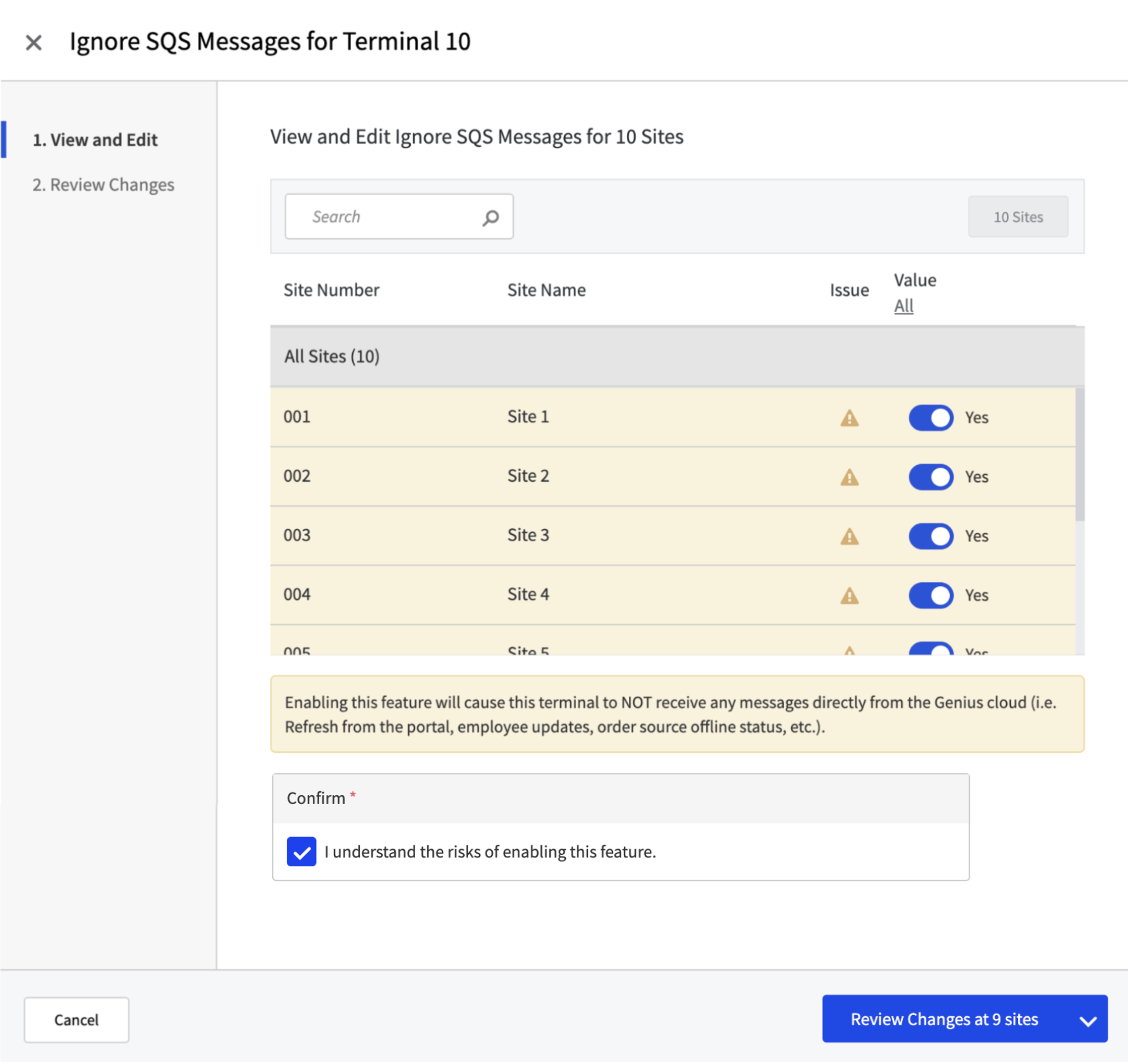
From the lower-right, select Review Changes.
From the lower-right, select Confirm and Close.
From the upper-left of the Terminal edit form, select Save.
Genius Point of Sale (POS)
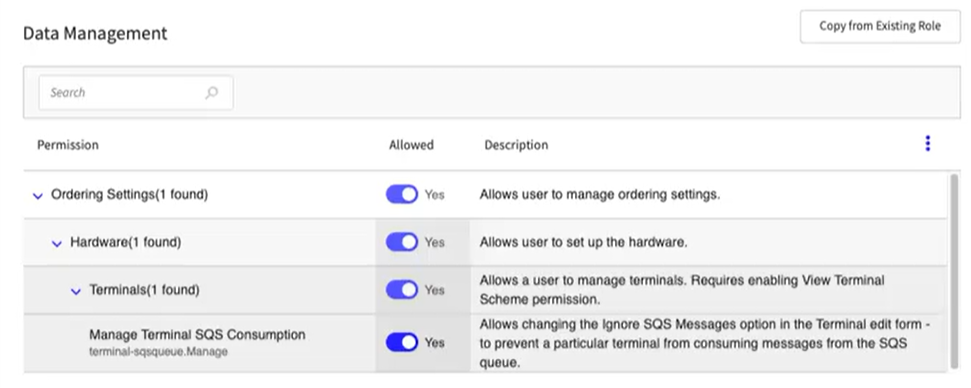
Enhanced management of SQS messages by adding the new permission Manage Terminal SQS Consumption (terminal-sqsqueue.Manage) at Company and Global levels.
Genius Portal
Added permission terminal-sqsqueue.Manage at the Global/Company Level to allow user to prevent specified terminals from receiving delivery orders.
Global Level
 |
Company Level
 |
Genius Portal | Security Checks for Plain Text
PRMA-6102
Investigated security and infrastructure penetration tests in Codebase / Stack Environments where there is any Plain Text in order to ensure Genius Portal data is secure.
Affected Components:
Genius Portal
Genius Portal
This release includes infrastructure improvements that do not affect the business functions of Genius or supported services.
Suite Catering | Suite Printing Enhancement
PRMA-7037
Added the ability to change printing configuration in suites for the needs of a specific event.
Affected Components:
Data Management
Genius Point of Sale (POS)
Data Management
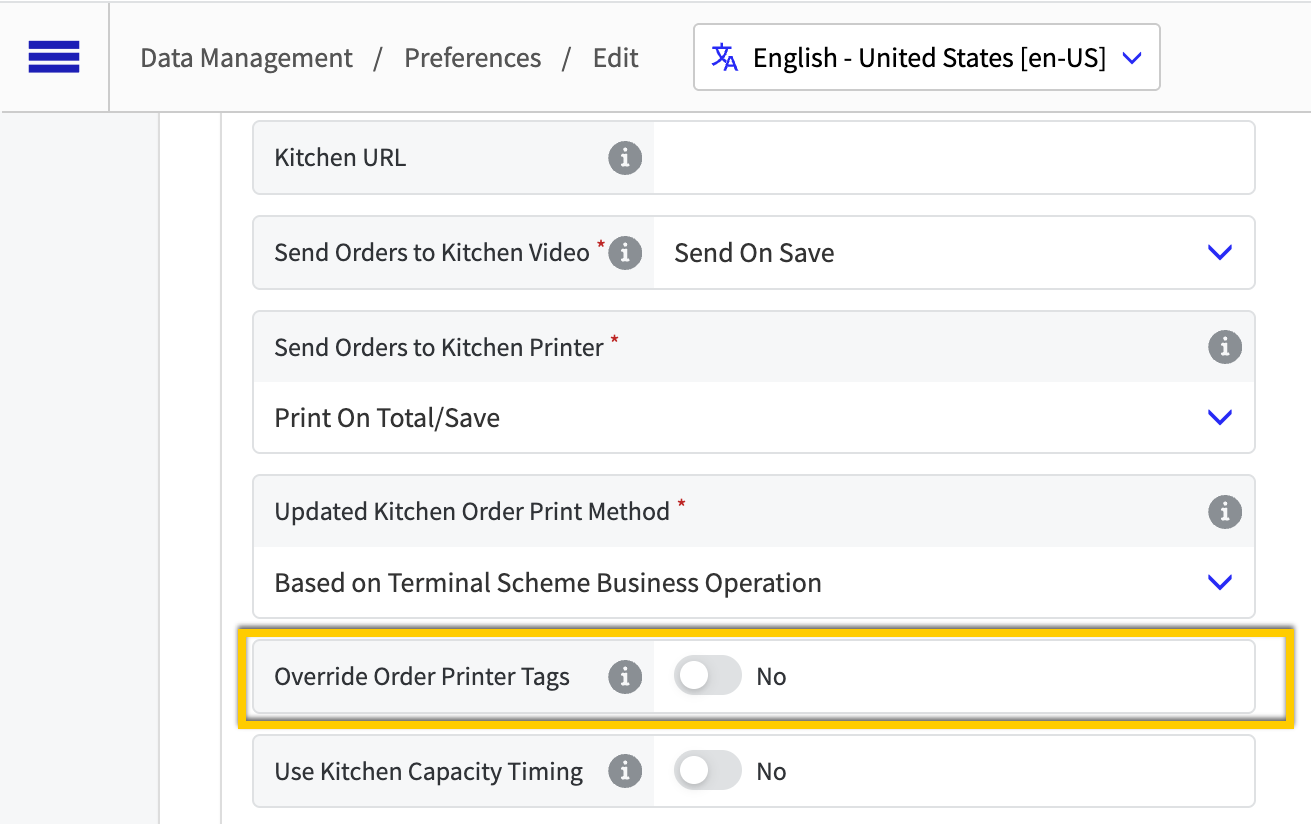
Enabled override of order printer tags by adding new toggle setting Override Order Printer Tags to Kitchen Settings.
→ → → → → → → →
 |
Genius Point of Sale (POS)
Order printer tag override