2026 November | Feature Highlights
Digital Menu Board | Additional Order Review Screen
PRMA-5631
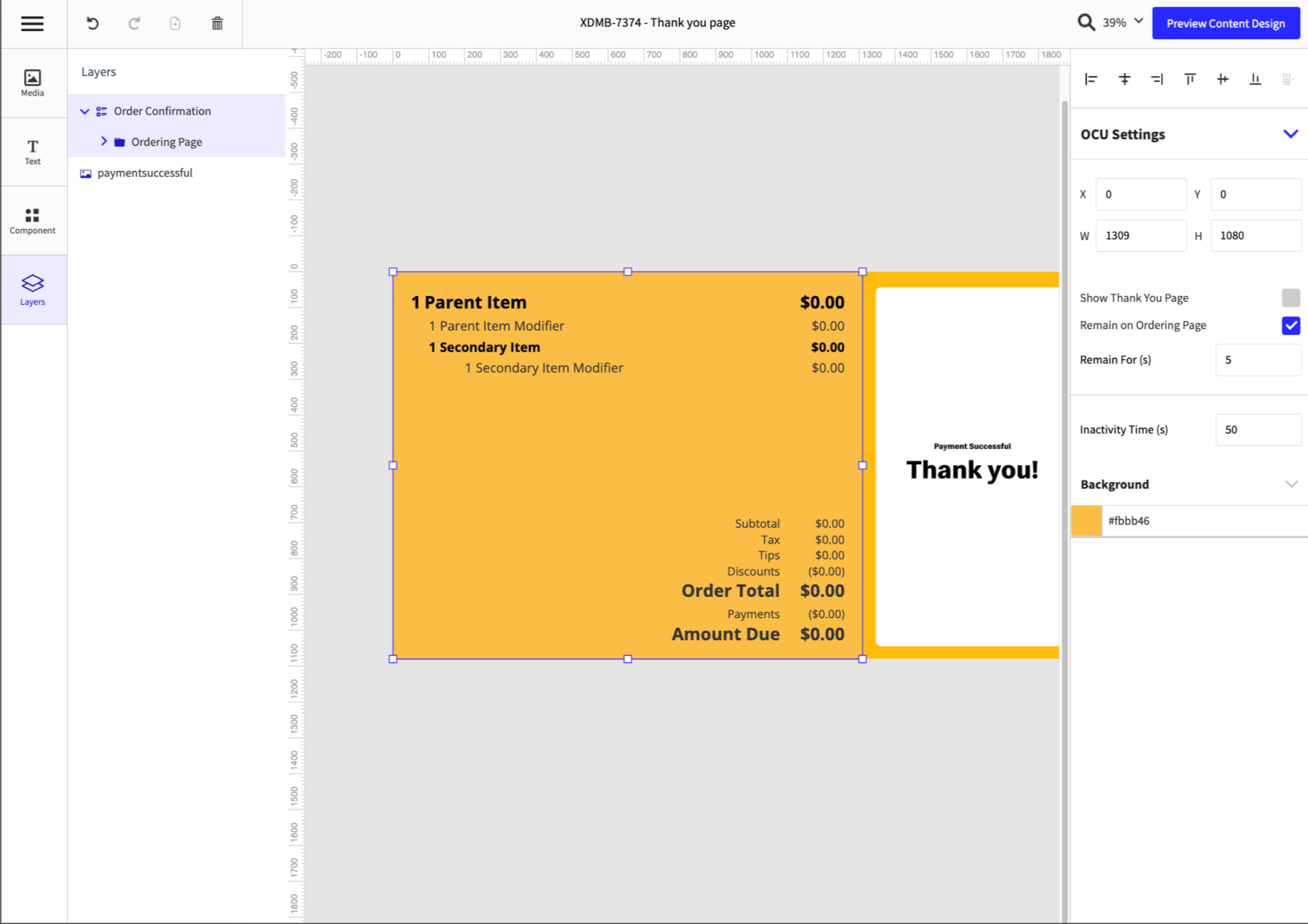
Added the ability to configure an additional order detail/content screen that displays the complete order, allowing customers to verify accuracy before proceeding when the Thank You page is disabled.
Affected Components:
Digital Menu Board
Digital Menu Board
Enhanced drive-thru order accuracy by adding new Ordering Page configuration as follows:
Added new configuration checkbox Remain on Ordering Page to Order Confirmation when Show Thank You page checkbox is disabled
When Remain on Ordering Page is enabled, Remain for (s) input field displays to set duration
Enabling Remain on Ordering Page replaces Thank You page with Ordering page
Enabling Remain on Ordering Page features the following preview items: Content Designer Preview; Takeover Preview; Content Layout Preview; Content Deployment Preview; Site Manager
 |
Kitchen Management | Display Density
PRMA-7597
Use compact spacing to reduce white space from kitchen cells. This optional configuration results in more orders on-screen, but reduces cell size. Not recommended for touchscreen environments.
Affected Components:
Data Management
Point of Sale (POS)
Data Management
Genius Portal → 4-Dot Menu → Data Management → Kitchen Settings → Kitchen Screen Settings → General
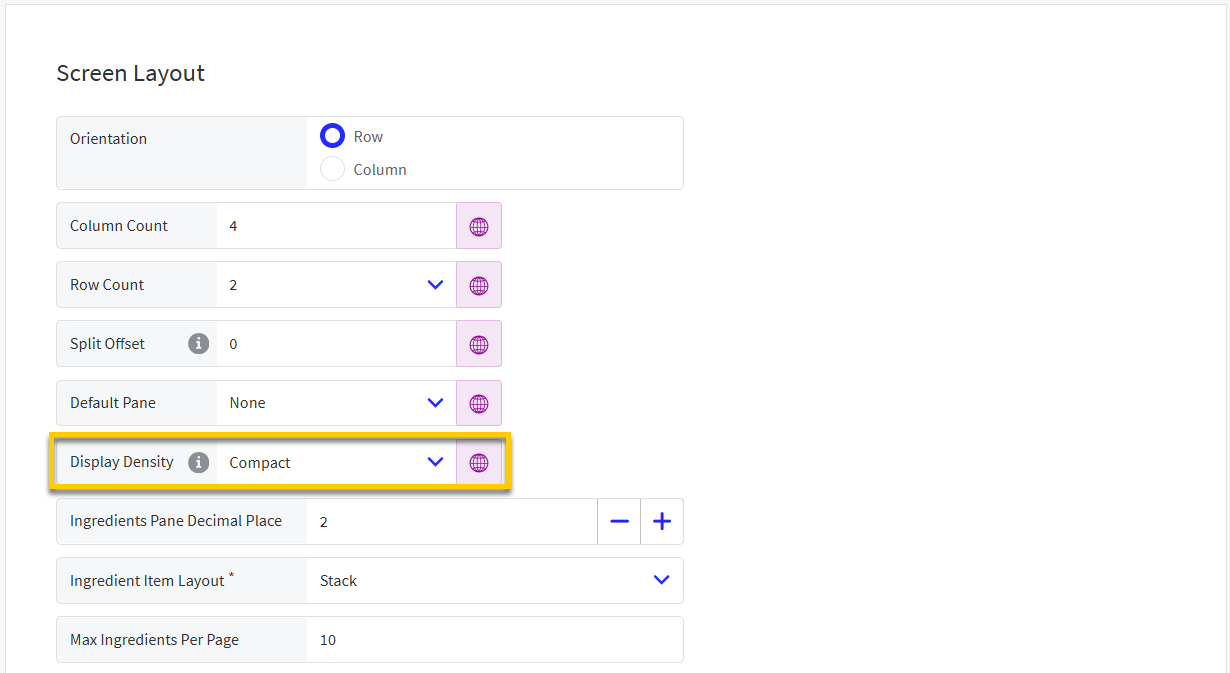 |
From the Screen Layout section of the General page, define the following:
Display Density - From the dropdown, select the preferred option:
Standard - Use default vertical spacing for cells.
Compact - Use compact vertical spacing rules for cells, which results in more orders on-screen, but reduces cell size.
Digital Menu Board | Loyalty Functions on Customer Facing Display
PRMA-6498
Gift and Loyalty integrates with Customer Facing Displays (CFD). This enables the customer to engage with their Loyalty account from a CFD independent of the order entry process improving speed of service.
Affected Components:
Data Management
Digital Menu Board (DMB)
Gift and Loyalty
Data Management
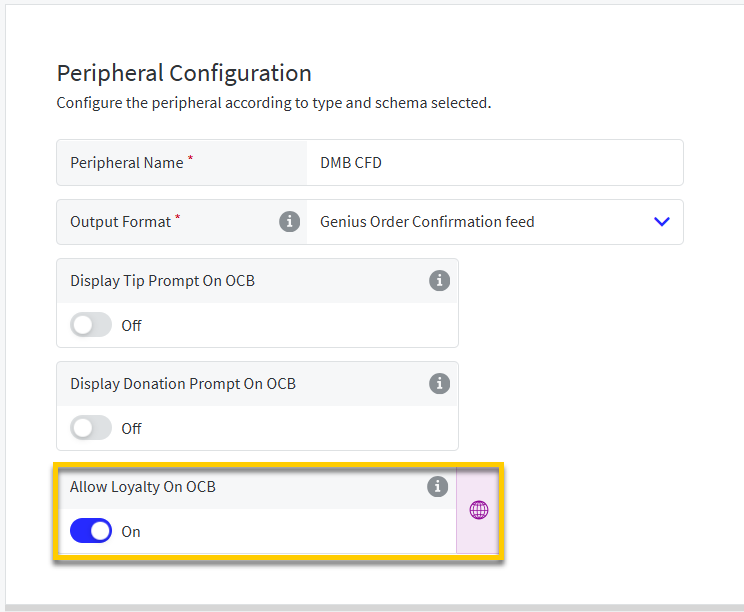
Enable Allow Loyalty On OCB from the Peripheral Configuration section of the OCB peripheral.
 |
Digital Menu Board (DMB)
The Loyalty component enables users to add a loyalty experience to Customer Facing Display content. Using this component, customers can:
Sign Up for Loyalty |
| |
Login to Loyalty |
| |
View and Redeem Rewards |
|
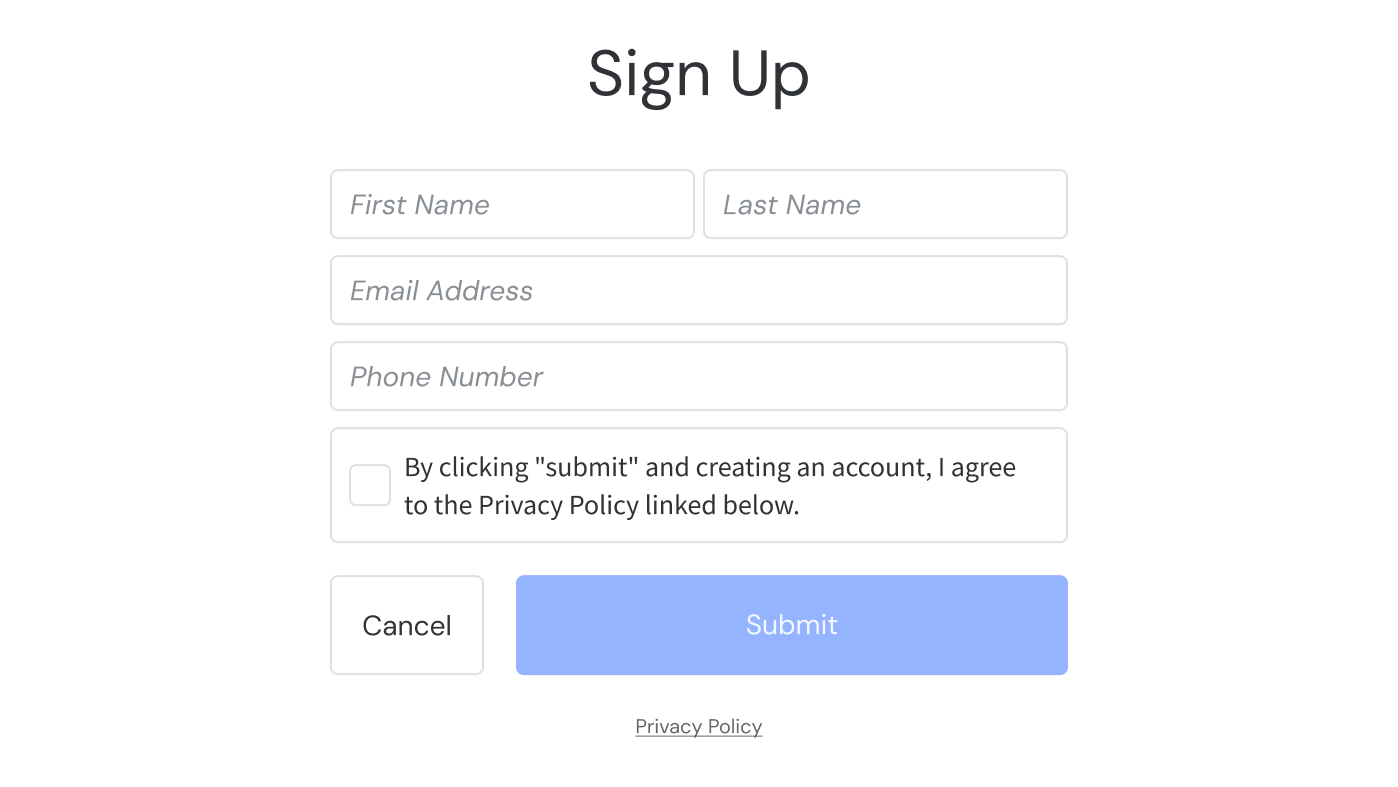
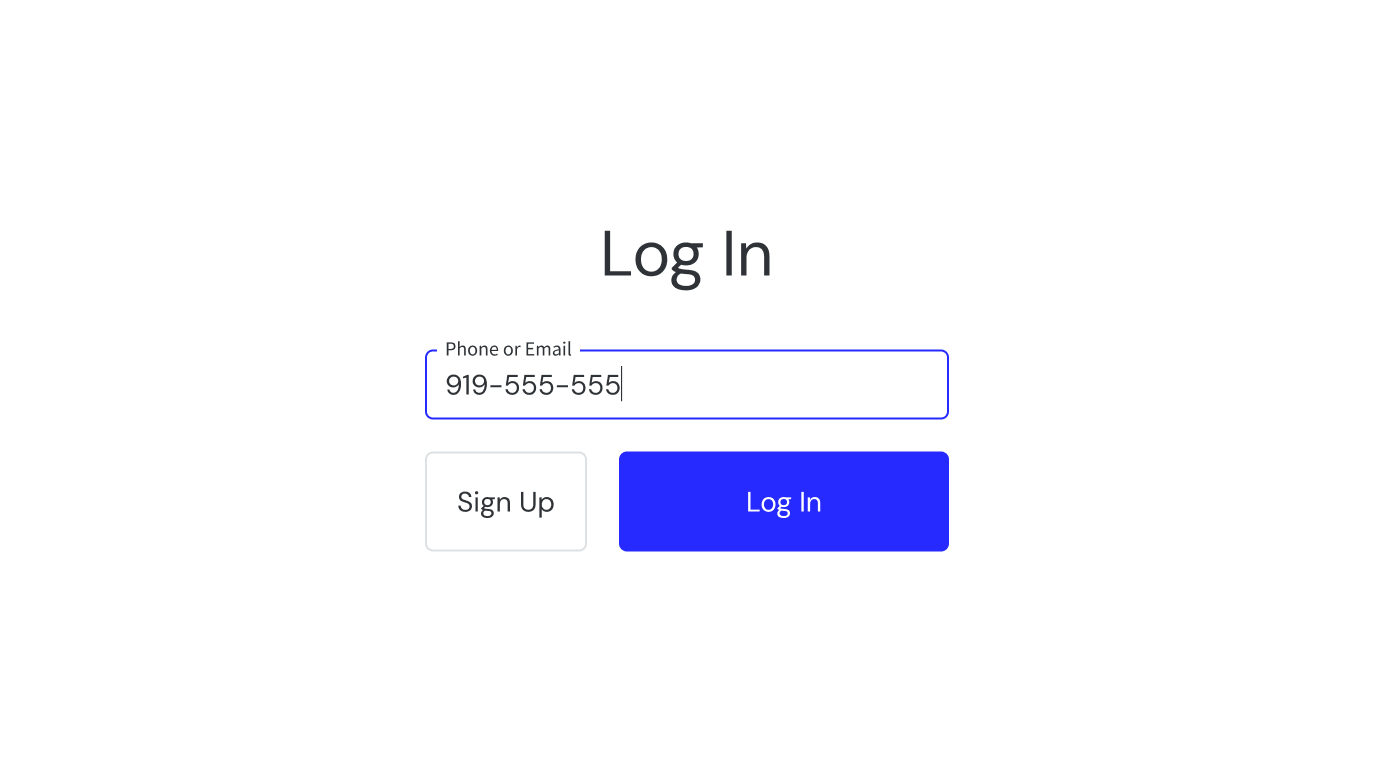
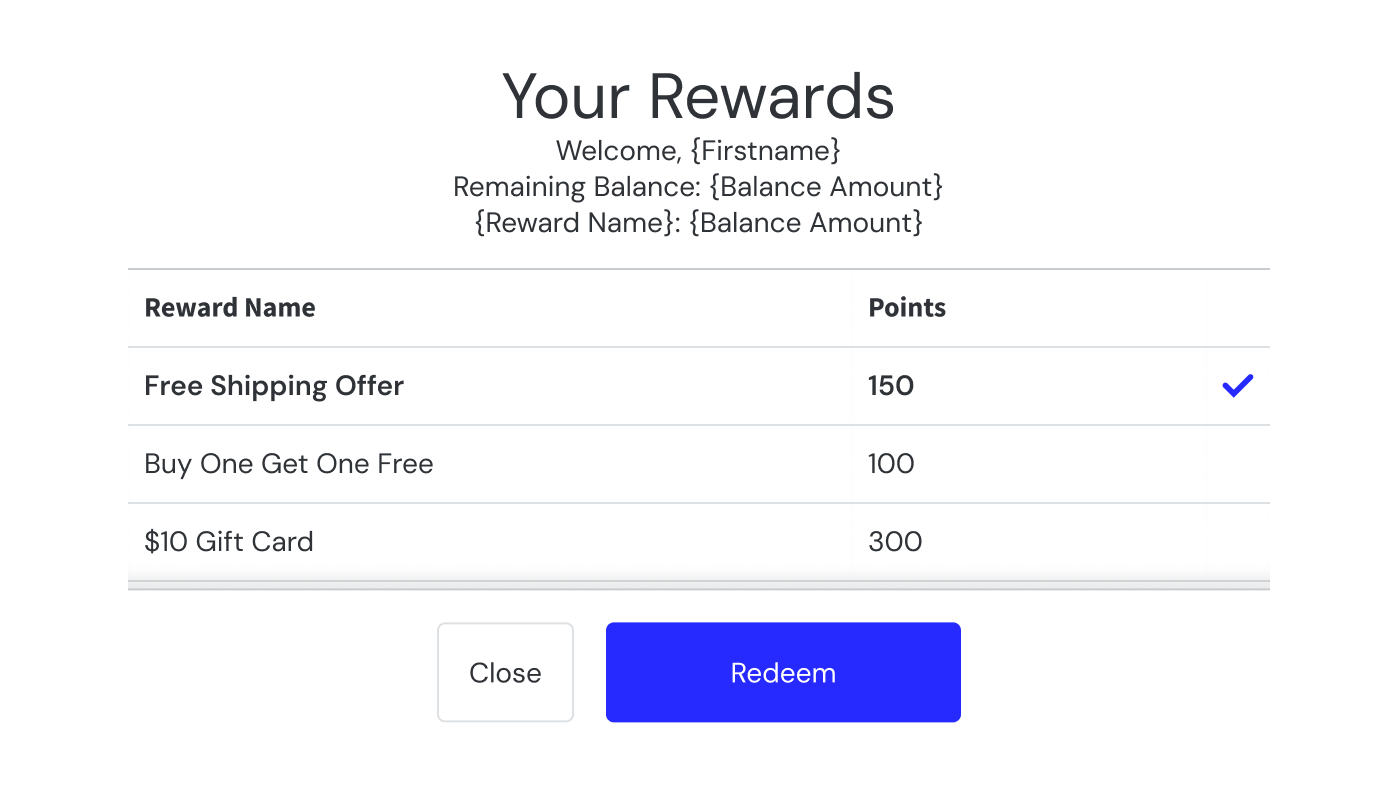
The Loyalty component is fully integrated with the point of sale (POS) data feed and adapts automatically based on configured loyalty settings and available identification methods.
For configuration instructions:
Receipt Printing | Item Summary Based on Tags
PRMA-7125
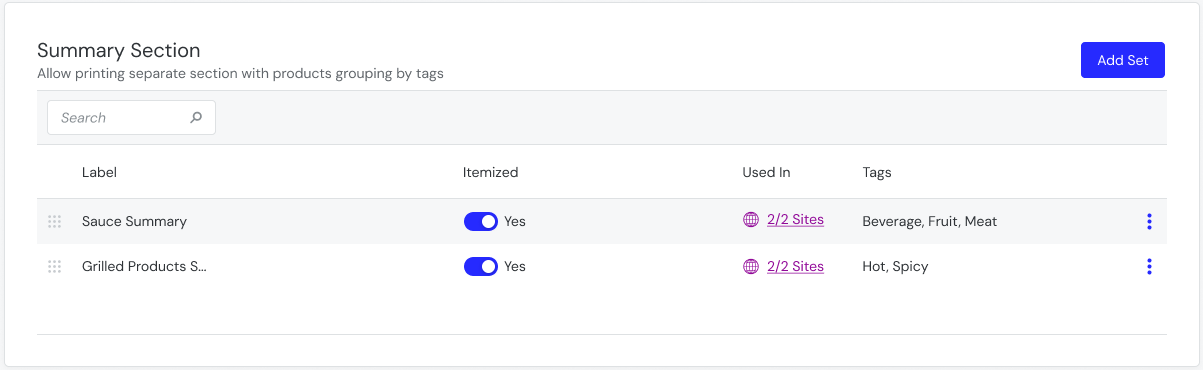
Include a Summary Section at the bottom of printed receipts to highlight specific items included in the order. You can optionally print each item on its own line -OR- print the total item quantity.
For example, print itemized sauce totals in the Summary Section to improve clarity for employees and guests.
Affected Components:
Data Management
Kitchen Management
Point of Sale (POS)
Data Management
From Summary Section of Receipt Templates, create a summary section to include on receipts based on product tags. See Summary Section for more details.
 |
Note
The Summary Section is supported on the following template types: Bump Chit, Final Receipt, Guest Check, Kitchen, Receipt, TSR Receipt
Data Management | Validation Modifier Enhancement
PRMA-7446
Refined modifier validation logic in Data Management across Modifier Groups, Modifier Collections, and Product Default Builds to avoid conflicts when managing unassigned modifier groups or manually adding modifiers.
Example: A general modifier group is configured with a maximum of 2 flavors. However, a specialty product build requires 3 flavors in its default build via it's collection. Previously, attempting to add a 3rd flavor would throw a validation error that the modifier group exceeded the allowed modifiers, blocking all edits. With this update, all 3 flavors can be added to the modifier group and saved without issues.
Affected Components:
Data Management
Genius Point of Sale | Restrict Post-Payment Void and Re-Tender
PRMA-6840
Added the ability to restrict Genius Point of Sale (POS) terminals so that post-payment Void and Re-Tender operations are restricted strictly to the last paid order on that specific terminal
Affected Components:
Data Management
Genius Point of Sale (POS)
Genius Portal
Data Management
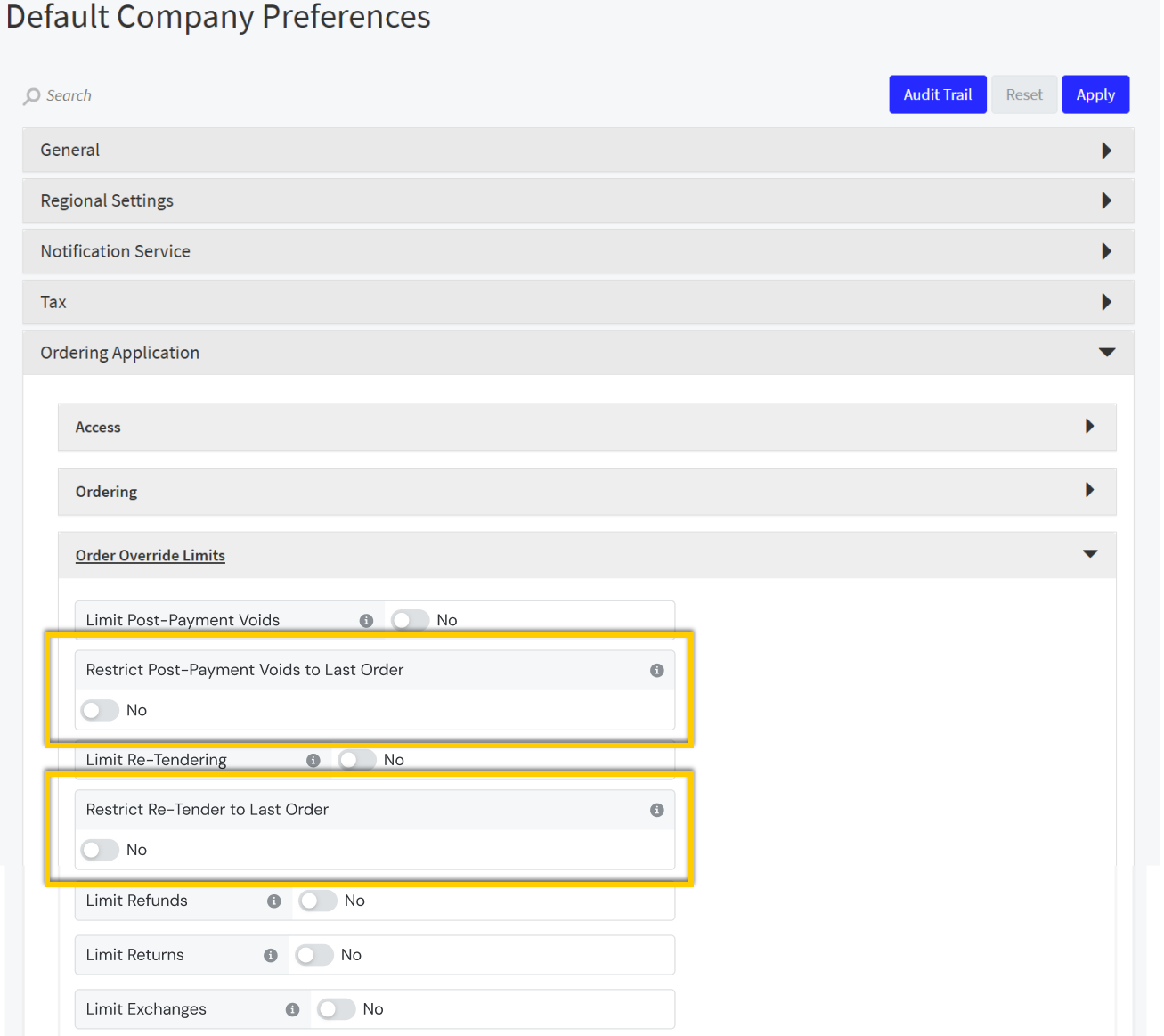
Restricted post-payment Void and Re-Tender to previous order by adding the following new toggle settings to Order Override Limits in Company/Site Preferences:
→ → → → → → → →
Restrict Post-Payment Voids to Last Order with child toggle Allow Override Post-Payment Voids to Last Order Restriction
Restrict Re-Tender to Last Order with child toggle Allow Override Re-Tender to Last Order Restriction
 |
Genius Point of Sale (POS)
Introduced configurable restriction enforcements on Point of Sale (POS) terminals for post-payment Void and Re-Tender operations.
Genius Portal
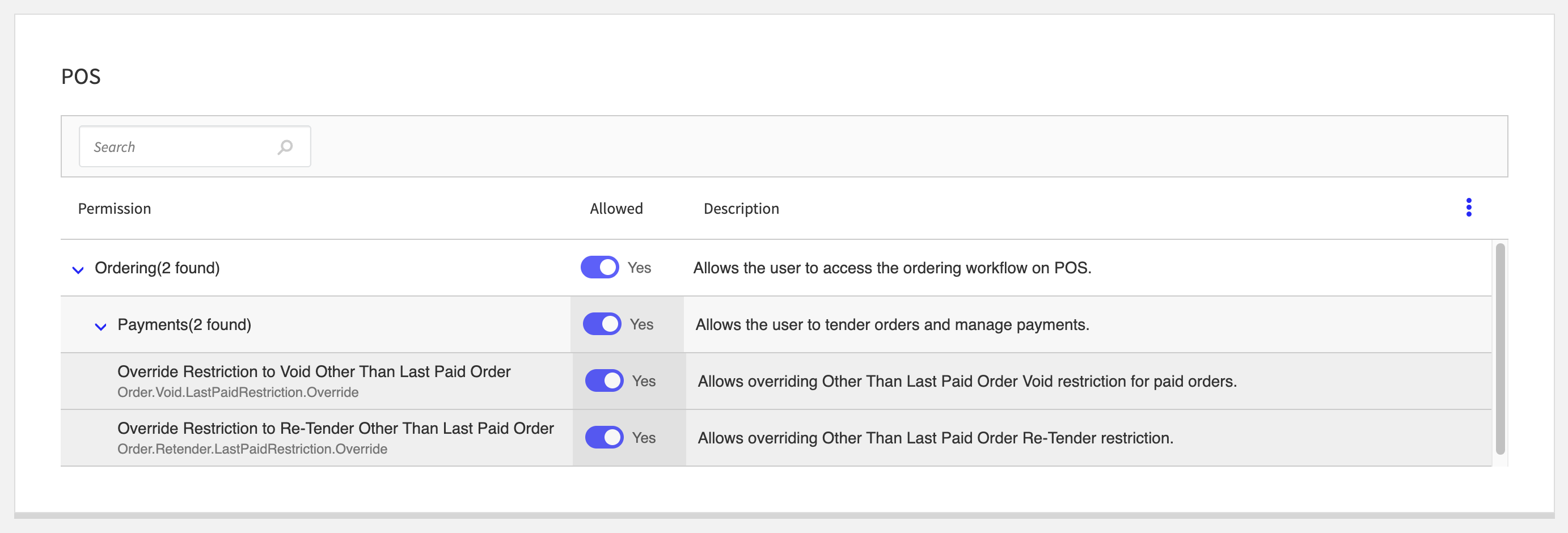
Allowed enabling/disabling permissions to void and re-tender orders other than last paid with the following new permissions at Company and Global levels:
Override Restriction to Void Other Than Last Paid Order (Order.Void.LastPaidRestriction.Override)
Override Restriction to Re-Tender Other Than Last Paid Order (Order.Retender.LastPaidRestriction.Override)
 |
Genius Point of Sale | Edit Time Punches from POS
PRMA-7573
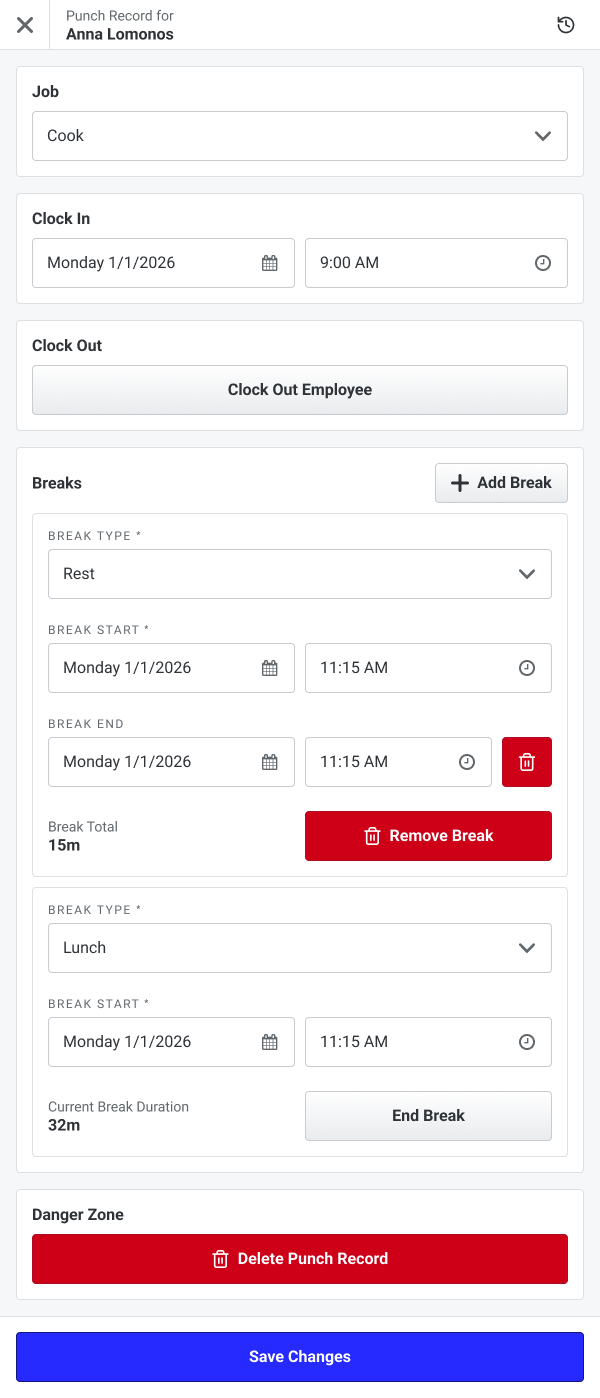
Added the ability for users to create, edit, and delete employee time punches directly from the Point of Sale (POS) terminal for the current business day and during POS end-of-day workflow steps.
Affected Components:
Data Management
Genius Point of Sale (POS)
Genius Portal
Staff
Data Management
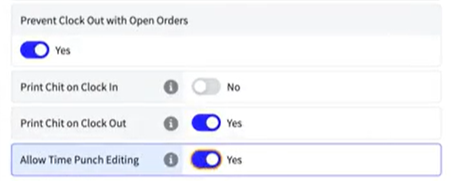
Enabled time punch editing by adding new toggle setting configuration Allow Time Punch Editing in Ordering Settings. Removed Adjust Time Punch function.
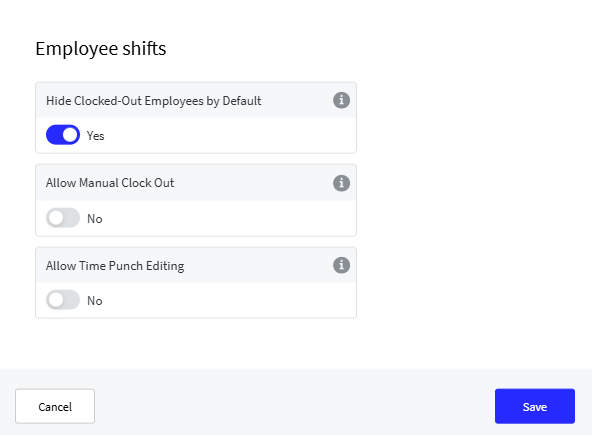
Enabled time punch editing for Employee Shifts by adding new toggle setting configuration Allow Time Punch Editing to Employee shifts task.
Genius Point of Sale (POS)
Permissioned users can edit employee time punches for the current business date from the POS.
 |
Genius Portal
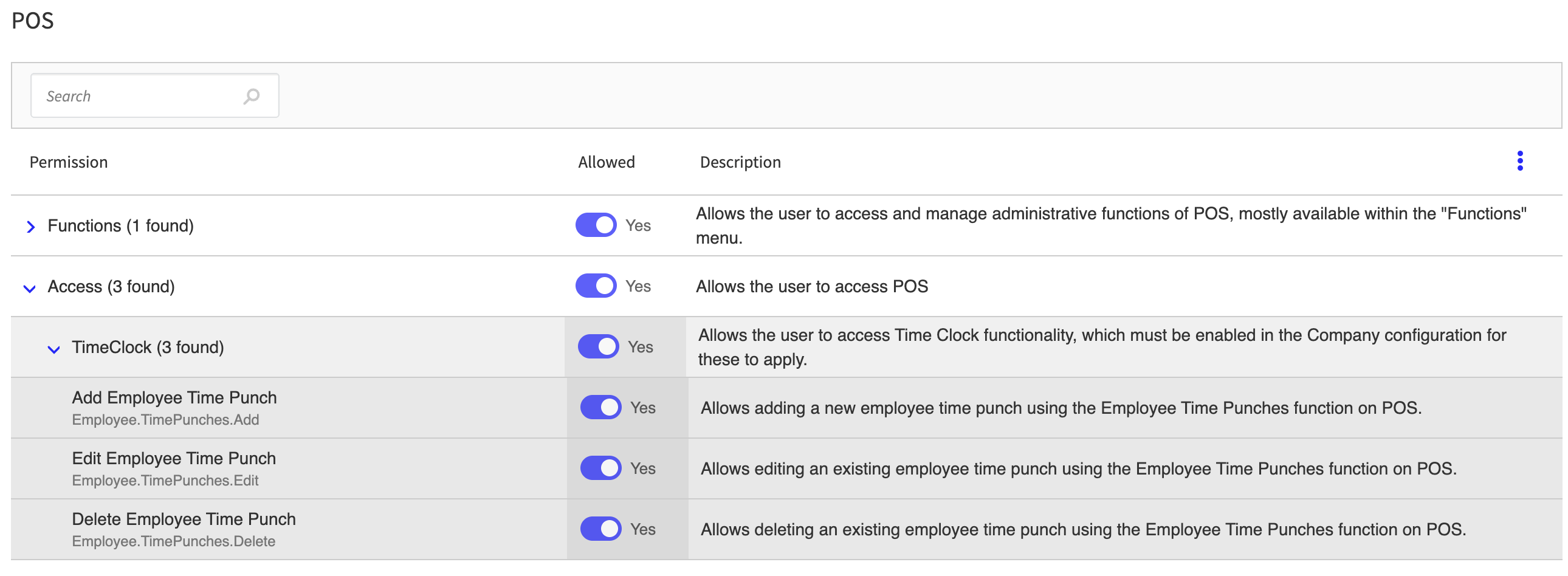
Enhanced management of employee time punches by adding the following new permissions at Global and Company levels:
Employee.TimePunches.Add allows adding a new employee time punch using the Employee Time Punches function on Point Of Sale.
Employee.TimePunches.Edit allows editing an existing employee time punch using the Employee Time Punches function on Point Of Sale.
Employee.TimePunches.Delete Allows deleting an existing employee time punch using the Employee Time Punches function on Point Of Sale.
 |
Staff
Added new endpoints
POST,PUT, andDELETEto create a shift directly from Point Of Sale.
Genius Point of Sale | NCR 7199 USB Printer
PRMA-7589
Added support for NCR 7199 USB Printers.
Affected Components:
Data Management
Genius Point of Sale (POS)
Data Management
Added support for NCR 7199 USB Printer Peripheral configuration.
Genius Point of Sale (POS)
POS terminals can now print to NCR 7199 USB Printers.
Venue Inventory | Enhanced Language Support
PRMA-7096
Enhanced multilingual language support across Global Payments Portal, Venues Inventory, and Reporting, including but not limited to event names, inventory items, and reporting categories.
Affected Components:
Data Management
Genius Portal
Reporting
Venue Inventory
Data Management
Enhanced language internationalization of Measure Code and Description. Recipe name translates successfully.
Ensured that Export Current Item List, Import Changes, and Venues Inventory tab is compatible with user-defined fields.
Enhanced language internationalization by renaming Locale column in Import/Export section to Language.
Genius Portal
Enhance i18n language internationalization for Event Selector.
Added support for i18n language internationalization for Event Type field in Event Selector.
Reporting
Enhanced language internationalization of I18N system string and Site/Event Selector of the following entities:
Physical Sales Accounting
Inventory Item Listing
Transfer Summary
Inventory On Hand
Product Listing
Inventory Count
Physical/Terminal Sales
Transfer by Item
Inventory Purchase Summary
Inventory Cost of Good Sold
Transfer Pick Sheet
Stand Worksheet Closing
Sales Over Short
Recipe Depletion
Order Summary
Added support for Language Internationalization by enhancing the following User-Defined Strings:
Physical Sales Accounting
Inventory Item Listing
Transfer Summary
Inventory On Hand
Product Listing
Inventory Count
Physical/Terminal Sales
Transfer by Item
Inventory Purchase Summary
Inventory Cost of Goods Sold
Transfer Pick Sheet
Stand Worksheet Closing
Sales Over Short
Recipe Depletion
Order Summary
Enhanced I18N display of detail view export to PDF.
Added support for I18N translation of Event Type.
Venue Inventory
Enable snapshot of Event Name I18N when Stand Worksheet is approved.
Enhanced Language Internationalization by adding support for Event Name I18N.
Enhanced data language internationalization by maintaining consistent display of deleted translation item names.
Enhanced internationalization by adding i18N support for Event Name (Transfer Request and Product Count) and Event Type Name (Product Count).
Enhanced UI translation to include Item Count columns and header tooltips.
Improved i18n cache translation functionality with the following actions:
Add new CacheInRedis utility class
Remove translation-related in-memory cache variables
Use session for per-request translations