Integrator Setup
The Portal is a centralized data and permissions management tool for our platform. To get started using the our platform for online ordering, first configure a company, locations, and other settings using the Portal.
These topics cover the steps required for an integrator to setup and begin using the our platform:
Company Setup - The Company Setup topic describes how to add a new company to the our platform.
Sites Setup - Sites are the physical locations that receive and fill orders. The Sites Setup topic describes how to create and set up a new site using the Portal.
Company Preferences - Company preferences define default information about a company that the our platform uses to process orders. This topic describes how to set values for each of the required preferences.
Your account manager can provide the URL and any credentials needed to access the Portal.
Company Setup
To use Online Ordering, a company must have the following subscriptions:
POS API processes payments for all orders submitted through Online Ordering.
Online Ordering is the component that allows a business to accept web and mobile orders.
Setting up a company requires the following data:
Name - The name of the company.
After collecting the required information and establishing the subscriptions, follow the steps below to enter it in the Portal:
Log in to the Portal.
From the Portal, select SETTINGS AND TOOLS from the menu on the left.
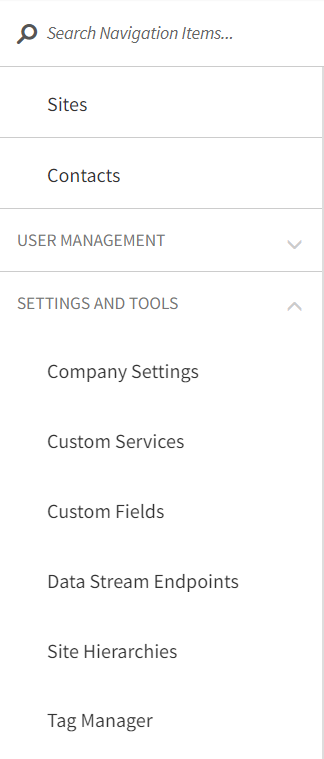
Scroll down and select Company Settings. The Company Settings screen opens:
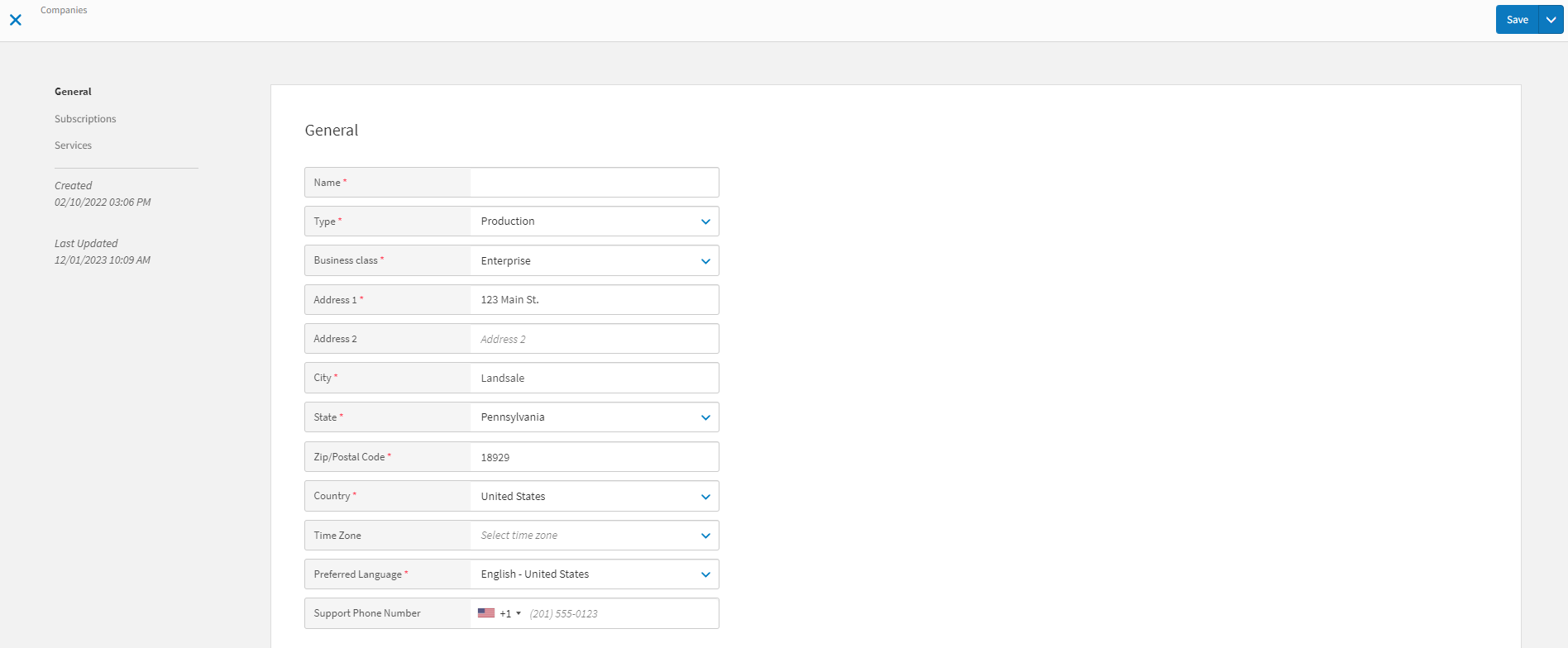
Enter the company name and toggle the Online Ordering and POS API switches to the active position, as shown above.
Enter any additional optional information.
Select Update to save the changes to the company.